No Results Found
The page you requested could not be found. Try refining your search, or use the navigation above to locate the post.

Telecommunications operators are under pressure. Billing disputes, service interruptions and failed credit vetting drive thousands of frustrated customers into call queues every day. Legacy platforms are buckling under the strain, costs keep rising and customer loyalty is at risk. Every missed interaction is more than an inconvenience – it’s a potential loss of revenue and trust.
For too long, the contact centre has been treated as a cost centre. In 2025, that model no longer holds. To stay competitive, the contact centre must become a growth driver, a digital hub and the foundation of customer experience.
The shift is already under way. Around the world, telecoms operators are rethinking contact centres and embracing digital transformation. Artificial intelligence is being deployed to handle repetitive queries, guide agents in real time and reduce the friction that drives up call volumes. Omnichannel engagement has become non-negotiable, with customers expecting to switch between channels – voice, WhatsApp, SMS, chat and e-mail – without repeating themselves.
The results are clear: smarter service reduces churn, lowers costs and builds loyalty. Customers get faster answers. Agents focus on higher value interactions. Executives see healthier margins and improved customer satisfaction. This is not about cutting costs alone, it is about turning the contact centre into a genuine growth engine.
For African operators, the challenge – and opportunity – is even greater. Customers expect to engage on WhatsApp as readily as they do on voice. They want proactive notifications and self-service journeys that mirror their digital lifestyles. Falling short risks losing ground to more agile competitors. In a market where loyalty is fragile and switching is easy, the ability to deliver differentiated service is now a competitive advantage.
Microsoft has delivered the platform to make this transformation possible. Microsoft Dynamics 365 Contact Center is a cloud-native solution designed from the ground up for the modern era. It unifies voice, chat, SMS, e-mail, social and Microsoft Teams into a single agent desktop, breaking down silos and eliminating the inefficiencies of legacy stacks.
At its core, the platform is powered by Azure Communication Services (ACS), Microsoft’s enterprise-grade communications backbone. This ensures enterprise reliability, scale and security for voice and digital interactions. Where operators need to extend into additional channels, such as WhatsApp or regional SMS, services like Twilio can be integrated – expanding reach while keeping the core intact.

Built as a Copilot-first platform, Microsoft Dynamics 365 Contact Center brings AI into the heart of the agent experience. Copilot assists with live transcription, suggested responses, case summarisation and real-time sentiment insights. For customers, this means a faster, more accurate service. For agents, it means less time searching for answers and more time resolving complex issues. For leaders, it means measurable improvements in efficiency and satisfaction.
Microsoft has also continued to invest in innovation. Recent enhancements include diagnostics and telemetry tools that track every step of the customer journey. Supervisors can see how calls are routed, where delays occur and how agents perform. Armed with these insights, they can optimise operations, coach staff more effectively and deliver a consistently better customer experience.
This isn’t about experimenting with AI or digital channels. The tools are proven, enterprise-ready and already deployed globally. The question is no longer whether they work – it is how quickly telecoms operators can put them to work in their own organisations?
The difference between telecoms operators that lead and those that lag isn’t technology, it’s execution. Microsoft Dynamics 365 Contact Center provides the foundation. But the real question is: who will configure AI to align with your billing processes? Who will integrate omnichannel into your ecosystem without disruption? Who will guide delivery in the African market, where complexity is the norm?
That’s the value The CRM Team brings. We don’t just implement software; we futureproof customer experience. By aligning Microsoft’s AI and omnichannel capabilities with telco realities, we help operators cut call volumes, accelerate digital adoption and unlock new revenue streams. With The CRM Team, transformation doesn’t just start – succeeds.
Our experience spans industries where customer experience makes or breaks business outcomes – from telecoms to retail to healthcare to financial services. We understand the pressure of high-volume environments, the challenge of integrating legacy systems and the need to deliver visible return on investment quickly. This is why organisations trust us to lead their transformation journeys.
Contact centres stand at a crossroads. They can remain overwhelmed, reactive and costly. Or they can become engines of customer trust and growth. The gap between these two futures is not defined by technology – it is defined by leadership.
2025 is the tipping point. The technology is ready. The opportunity is real. The only question is whether you act or let your competitors act first.



Get a clear, side-by-side view of Productboard and Jira—then explore how monday dev combines intuitive customization, collaboration, and AI to accelerate delivery.

Choosing the right product management platform is a pivotal decision for modern teams aiming to deliver exceptional products. Both Productboard and Jira offer distinct strengths tailored to different workflows and priorities.
Productboard centralizes customer feedback and aligns roadmaps, making it a favorite among product managers focused on prioritizing features. Jira, on the other hand, is renowned for its issue tracking, deep workflow customization, and scalability, making it the go-to choice for engineering and Agile development teams.
However, if your team needs a flexible, all-in-one solution that combines intuitive customization, seamless collaboration, and advanced AI capabilities, monday dev emerges as a compelling alternative.
In this guide, we’ll compare each platform’s features, integrations, pricing, support, and customer reviews so you can find the best fit for your team’s unique needs.
Try monday dev
Short on time? Here’s what you need to know about Productboard and Jira in a nutshell.
|
Criteria |
Productboard |
Jira |
|
Features |
Feedback management |
Agile boards |
|
Feature prioritization |
Workflow customization |
|
|
Customizable roadmaps |
Issue tracking |
|
|
Real-time collaboration |
Advanced reporting |
|
|
AI-powered insights via add-on |
AI-powered insights built-in |
|
|
Integrations |
18+ native integrations plus thousands more through third-party platforms like Zapier, Make, and Integrately |
3,000+ via Atlassian Marketplace, including Bitbucket, Confluence, GitHub, GitLab, and Slack |
|
Pricing |
Free plan available; premium plans from $19/maker/month |
Free plan available; premium plans from $8.60/user/month |
|
Ease of use |
Intuitive user-friendly design, but extensive feature set requires short adjustment period |
Powerful but complex with a steep learning curve especially for non-technical teams |
|
Support |
Tiered level support ranging from the online community to priority email support, depending on the pricing plan |
Tiered level support ranging from the online community to 24/7 premium support, depending on the pricing plan |
|
Ratings |
4.3/5 (250+ reviews) on G2 |
4.3/5 (6,450+ reviews) on G2 |
For a more detailed breakdown of Jira and Productboard, continue reading below.

TABLE OF CONTENTS
When choosing between Productboard and Jira, understanding their core features is essential to finding the right fit for your team’s workflow. Each platform brings a different set of strengths to the table, influencing how teams plan, collaborate, and deliver projects.
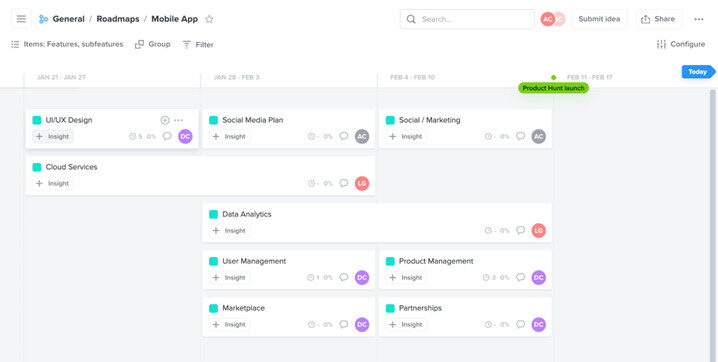
Productboard enables product teams to make informed decisions by organizing insights and aligning stakeholders around a shared vision. Its suite of tools prioritizes what to build next and ensures everyone stays focused on customer value.
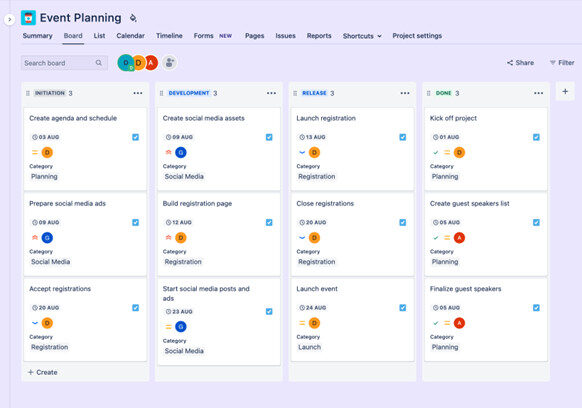
Jira allows engineering teams to manage projects at scale and adapt to evolving requirements. Its feature set supports detailed workflow management and seamless coordination across complex engineering environments.
When evaluating Productboard and Jira, integration capabilities are a key factor in supporting seamless workflows across teams and tools. Both platforms offer extensive options to connect with external systems, but their approaches and depth of integration may influence which solution best fits your organization’s needs.
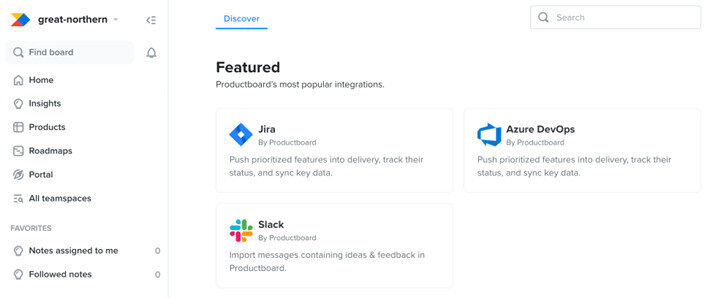
Productboard makes it easy for teams to connect with popular tools such as Jira, Azure DevOps, and Slack, supporting a unified workflow across product and development. Its open APIs and powerful two-way Jira integration enable seamless transfer of prioritized features into engineering backlogs, ensuring alignment from planning through execution.
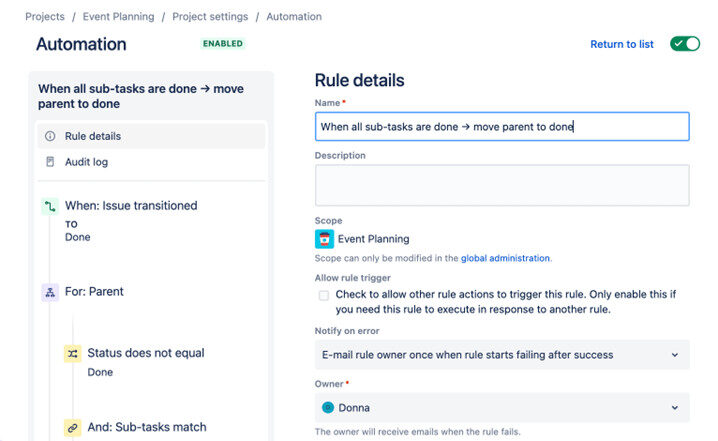
Jira offers one of the largest integration ecosystems, with thousands of available apps in its Atlassian Marketplace and native connections to tools such as Bitbucket, Opsgenie, and Confluence. Teams can automate processes and extend functionality using OpenAPI support, though advanced integrations may require additional third-party apps or administrative setup.
Pricing is a crucial factor when selecting a product management or development platform, as it impacts both your budget and the features available to your team. Both Productboard and Jira offer tiered plans to accommodate a range of business sizes, but their pricing models and included capabilities differ significantly. You can evaluate features with a free trial before committing to a paid plan.
Productboard’s pricing structure scales with your team, from a free plan for individuals to custom options for larger organizations. The platform charges per “maker” — the users who actively manage and prioritize features — while contributors and viewers are free, making it flexible for teams with varying roles. But AI features are only available via the Pulse add-on.
Jira provides a flexible, per-user pricing model with plans that cater to everyone from small teams to large enterprises. Each tier unlocks additional storage, automation, and administrative controls, allowing teams to choose the best fit for their workflow and scale as needed. Jira AI — branded as Atlassian Intelligence — is included with Premium and Enterprise packages, with plans to roll out to the Standard tier as well.
Note: Atlassian announced that in mid-2025 it will begin implementing “maximum quantity billing” for some Jira Cloud customers. This means teams may be billed based on the highest user count over a billing cycle — not just the current active users — potentially affecting how seat-based costs are calculated.
Selecting a platform that your team can adopt quickly and use efficiently is essential for productivity and long-term success. Both Productboard and Jira offer robust capabilities, but their approaches to usability and onboarding could significantly impact your team’s experience.
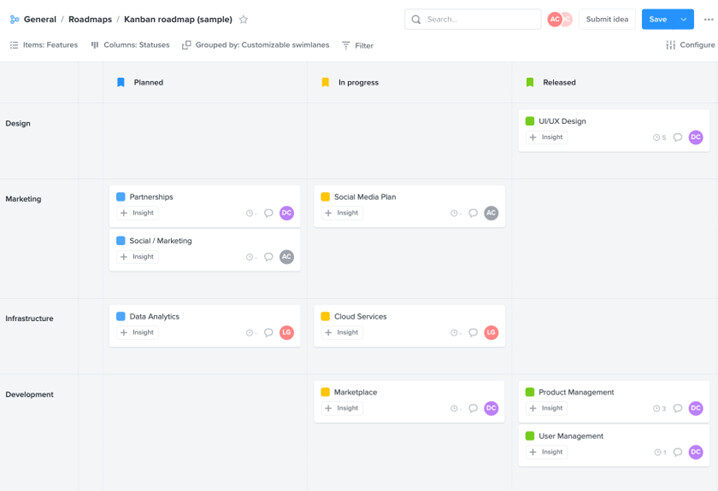
Productboard’s intuitive, user-friendly interface makes navigation and daily tasks straightforward for both technical and non-technical users. Onboarding is typically fast, though some teams may experience initial confusion due to the platform’s extensive feature set, which can require a short adjustment period.
“It’s really easy to use, and my team can implement it without extensive training. By integrating with other tools like Slack and Jira, it becomes even more integrated to our workflow.” — Denis W.
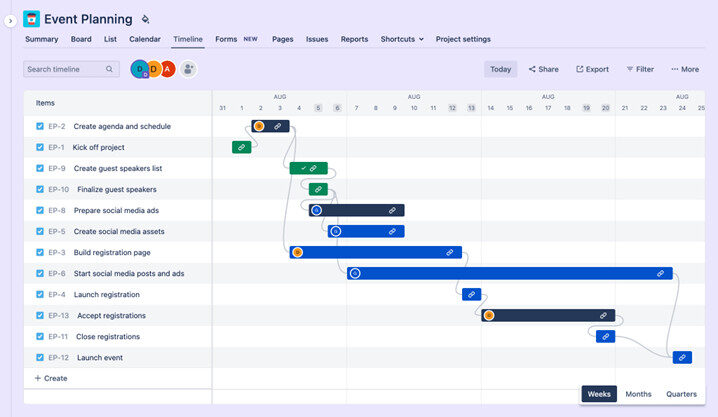
Jira provides powerful customization and workflow options, but its setup can feel overwhelming, especially for new users or teams unfamiliar with Agile tools. The platform’s steep learning curve and need for ongoing administrative support to tailor workflows and settings mean that teams often invest more time in configuration and training before reaching full productivity.
“The main issue is that it’s too complex. At first, there are so many features that it’s overwhelming. You spend a lot of time just trying to figure things out.” — Vüqar
Reliable support is vital for teams adopting new platforms, especially when troubleshooting or onboarding at scale. Productboard and Jira take different approaches to customer assistance, which can influence user satisfaction and long-term success.
Productboard offers a responsive customer support team, ensuring users receive timely help when needed. The platform also provides a comprehensive help center and onboarding resources, with tiered support available according to pricing plans:
“Productboard offers outstanding customer support. Whenever we’ve come across any issues, their team has been quick to respond with friendly and helpful assistance.” — Matthew M.
Jira includes standard support with all plans, but access to advanced assistance and faster response times typically requires an upgrade to higher-tier subscriptions. Some users have reported that support can feel slow or impersonal, particularly on basic plans, which may affect the overall experience for teams seeking hands-on guidance.
“I feel its customer support response for the complaints and issues in the app can be a bit faster.” — Spandhana E.

Understanding customer experiences with Productboard and Jira can offer valuable insight into how each platform performs in real-world scenarios. Reviews highlight the unique strengths and challenges of both tools, helping you determine which product is the best fit for your team.
Productboard receives strong praise for its ability to centralize feedback and help teams prioritize features, with many users highlighting its intuitive interface and collaborative environment. However, some reviewers note that performance can lag with larger datasets and that mastering advanced features may require a period of adjustment, particularly for new users.
“What I like most about Productboard is that it aggregates all the customer feedback in one location. This helps us more easily to determine which features to prioritize, which translates directly to our product vision. The only problem with Productboard is the fact that the software slows down when dealing with massive data sets.” — Mariusz O.
Compare:
Jira customer reviews
Users frequently commend Jira for its flexibility and the depth it brings to software development workflows, especially in environments that require robust customization and reporting. At the same time, users often point out the platform’s complexity and the ongoing need for administrative expertise, with opinions on usability ranging from highly positive to mixed depending on team experience and technical proficiency.
“What I like best about Jira is that everything goes into one place and it is easy to manage complex projects. Its capability for customizing the workflows, building out descriptive tickets, and tracking progress visually really assists with organization. What I do not like about Jira is that it is very confusing and overwhelming, especially to non-techie or novice users. There are just too many features and settings that can easily get lost or waste time figuring out how to do something instead of working.” — Pradeep S.
Compare:
Choosing between Productboard and Jira depends on your team’s primary goals, workflow preferences, and the challenges you want to solve. Both platforms are industry leaders, but they cater to different needs and excel in distinct areas.
Productboard is ideal for product managers and organizations focused on customer feedback, feature prioritization, and clear product roadmaps. Its strengths lie in centralizing insights, aligning teams, and making data-driven decisions.
Jira is best suited for software development and engineering teams that require deep workflow customization, Agile project management, and advanced reporting. It offers powerful tools for managing complex development cycles but may require more setup and ongoing administration.
|
Criteria |
Productboard |
Jira |
|
Ideal use case |
Product managers, feedback-driven organizations |
Agile engineering and dev teams |
|
Overall strengths |
Centralized feedback, feature prioritization, customizable roadmaps, team alignment |
Customizable workflows, Agile tools, vast integration ecosystem |
|
Main drawbacks |
Higher pricing at scale, some advanced features gated to higher tiers |
Steep learning curve, admin overhead, advanced features require add-ons |
To summarise:
But what if you’re looking for a platform that balances product planning, engineering execution, and user-friendly AI tools — all in one place? That’s where monday dev stands out. When you compare the G2 ratings, monday dev outperforms both Jira and Productboard in every category:
|
Criteria |
monday dev |
Productboard |
Jira |
|
Meets requirements |
9.1/10 |
8.1/10 |
8.8/10 |
|
Ease of use |
9.1/10 |
8.2/10 |
8/10 |
|
Ease of setup |
9/10 |
8.2/10 |
7.7/10 |
|
Ease of admin |
9.2/10 |
8.8/10 |
7.5/10 |
|
Quality of support |
9.1/10 |
8.9/10 |
8.3/10 |
|
Has the product been a good partner in doing business? |
9.4/10 |
8.8/10 |
8.5/10 |
|
Product direction (positive) |
9.5/10 |
8.3/10 |
8.3/10 |
|
Product management |
8.9/10 |
7.5/10 |
8.5/10 |
The right choice ultimately depends on your team’s priorities, technical needs, and long-term goals. But for teams seeking a balance of flexibility, ease of use, and advanced AI capabilities, consider exploring a flexible alternative like monday dev.
Built on the robust monday.com Work OS, monday dev is a frictionless, AI-powered platform that unites product and engineering teams. With effortless customization, hybrid project support, and advanced reporting all in one platform, monday dev adapts to your team’s needs.
No-code customization: Tailor Kanban or Scrum boards with custom columns, statuses, and automations, using simple drag-and-drop — no coding or admin help needed.
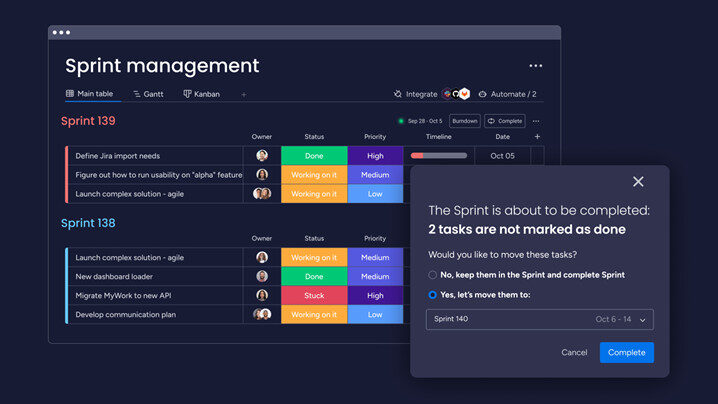
Built-in management-level reporting: Visualize different information across the organization, including Agile insights, performance dashboards, roadmap planning, and team hierarchies — no plugins needed.
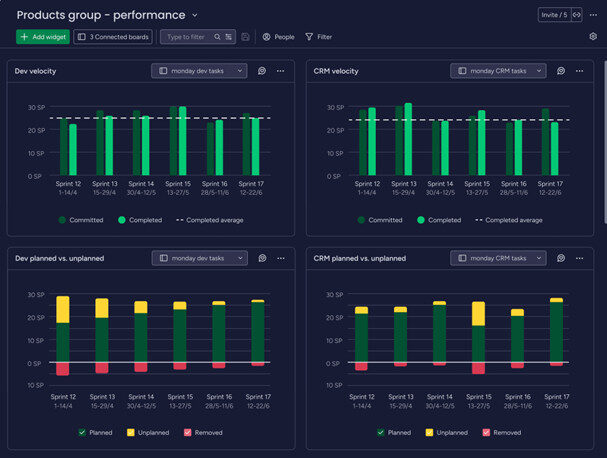
Seamless collaboration: Keep everyone aligned and informed on a single platform with workdocs, dependency tracking, and real-time updates — without switching tools.
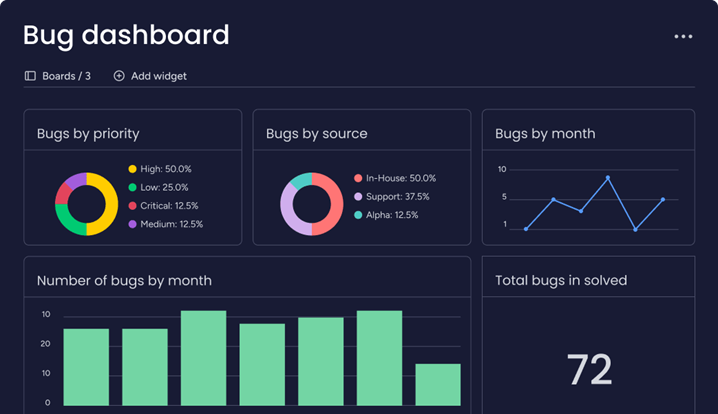
AI-powered productivity: Use ready-made AI actions to forecast velocity, identify bottlenecks, and automate routine tasks — right where you work
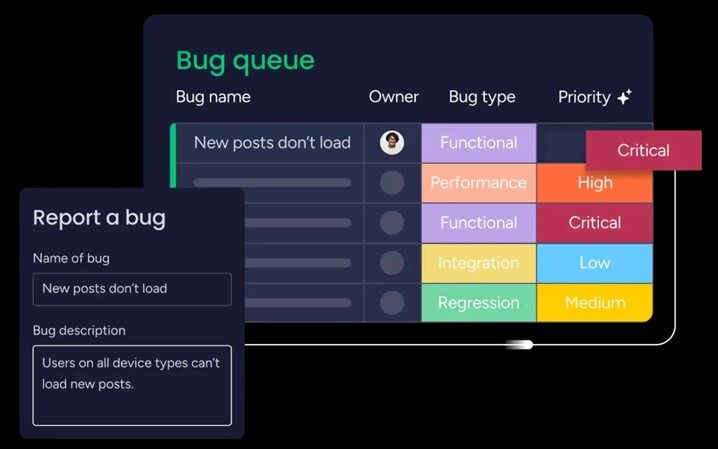
Unlike Productboard and Jira, which often require admin setup or additional apps for advanced connections, monday dev connects effortlessly with over 200 tools, including GitHub, GitLab, CircleCI, Slack, and Microsoft Teams, through a user-friendly, no-code integration hub.
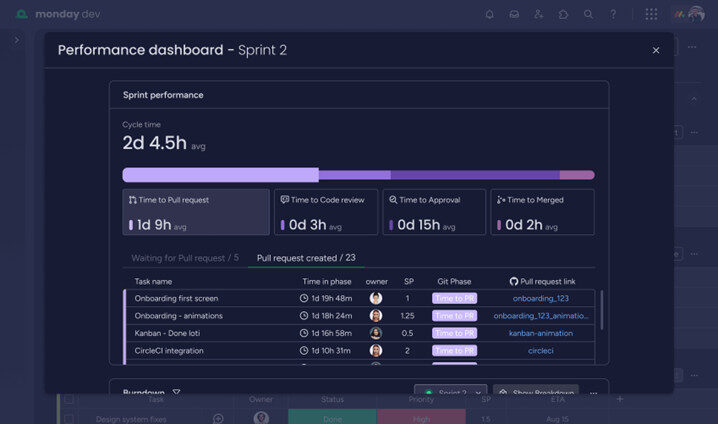
“A lot of the tools we tried were just too rigid to meet our needs. We had to connect multiple products to get the results we wanted, which created even more friction between our teams. With monday dev, everyone at luxie tech has access to the information they need to do great work.” — Mitchell Hudson.
Compared to Jira’s multiple add-ons, monday dev’s transparent and scalable pricing makes it exceptionally cost-effective for large teams seeking predictable, all-in-one value.
Read more about monday dev’s plans and pricing.
With monday dev, teams can instantly customize workflows using drag-and-drop boards, custom columns, and automations—no coding or IT support required. Its intuitive interface and ready-to-use templates make it easy for anyone to set up and adapt processes, so both technical and non-technical users enjoy a seamless onboarding experience and can start collaborating right away.
“The other systems we explored were rigid and lacked the ability to nest and marry items together. They were also so complex that it would also require a full-time administrator to run. We loved that anyone on the team could easily get up to speed with monday dev.” — Steven Hamrell.
With monday dev, every customer receives fast, friendly 24/7 support from real people on every plan. In addition to responsive phone, email, and live chat, customers benefit from a comprehensive resource library — including a community forum, self-serve knowledge base, video tutorials, daily live webinars, and dedicated customer success managers for enterprise accounts — making support highly rated for both responsiveness and helpfulness.
Trusted by over 245,000 customers, monday dev earns consistently high marks from users for its intuitive interface, flexibility, and responsive support. Teams praise the platform for letting them tailor workflows to their unique needs, empowering them to work their way rather than forcing them into rigid processes.
“The user-friendly interface of monday dev makes project monitoring and planning very simple. Our team may customize the boards and workflows of the platform to meet our unique requirements. Collaboration is facilitated by integration with GitHub and Slack, and the automation capabilities let us save a ton of time on tedious work. Furthermore, the analytics and reporting tools enable us to continuously improve our procedures and offer insightful information about the status of our project.” — Siddarth N.
Ready to experience a better way to manage product development? The CRM Team and see how your team can move faster, collaborate better, and deliver more value on one flexible platform.
The page you requested could not be found. Try refining your search, or use the navigation above to locate the post.
Join the ranks of successful enterprises that have revolutionized their operations with our cutting-edge digital solutions. Contact us to discover how we can help you achieve measurable impact.
Disconnected teams slow progress. monday.com brings your organization together with a unified workspace, automations, and real-time dashboards that turn collaboration into measurable results.

In today’s fast-paced business environment, the biggest roadblock to efficiency isn’t just outdated processes—it’s siloed teams. Different departments often operate in isolation, leading to communication gaps, duplicated efforts, and misaligned goals. The key to overcoming these challenges? A work management platform that fosters seamless collaboration. That’s where monday.com comes in.

TABLE OF CONTENTS
Silos occur when teams use disconnected tools and processes, making cross-functional collaboration difficult. Sales, marketing, IT, HR, and operations each have their own systems and workflows, leading to:
With monday.com, businesses can centralize workflows, making it easier for teams to stay connected and aligned. Here’s how:
1. A Single Source of Truth
Instead of scattered spreadsheets, email chains, and separate software, monday.com provides a unified work OS where all teams can track projects, share updates, and collaborate in real time. Every department has access to the same data, reducing miscommunication and improving efficiency.
2. Cross-Team Collaboration with Custom Workflows
Every team has different needs, but that doesn’t mean they should work in isolation. monday.com allows businesses to create customized workflows that integrate seamlessly across departments. For example:
IT can track and resolve support tickets while providing transparency to other teams.
3. Automations That Save Time
monday.com’s powerful automations eliminate manual handoffs, reducing friction between teams. Whether it’s notifying the finance team when an invoice is approved or updating sales when a new lead enters the CRM, automations ensure a smooth flow of information across departments.
4. Real-Time Dashboards for Better Decision-Making
Executives and team leads need a clear, real-time view of what’s happening across the company. monday.com’s dashboards consolidate data from multiple teams into one place, providing instant insights into progress, bottlenecks, and opportunities.
5. Seamless Integrations with Existing Tools
Most teams rely on a variety of tools—CRMs, email platforms, accounting software, and more. monday.com integrates with hundreds of popular applications, from Slack and Microsoft Teams to HubSpot and Jira, ensuring teams can work without disruption.
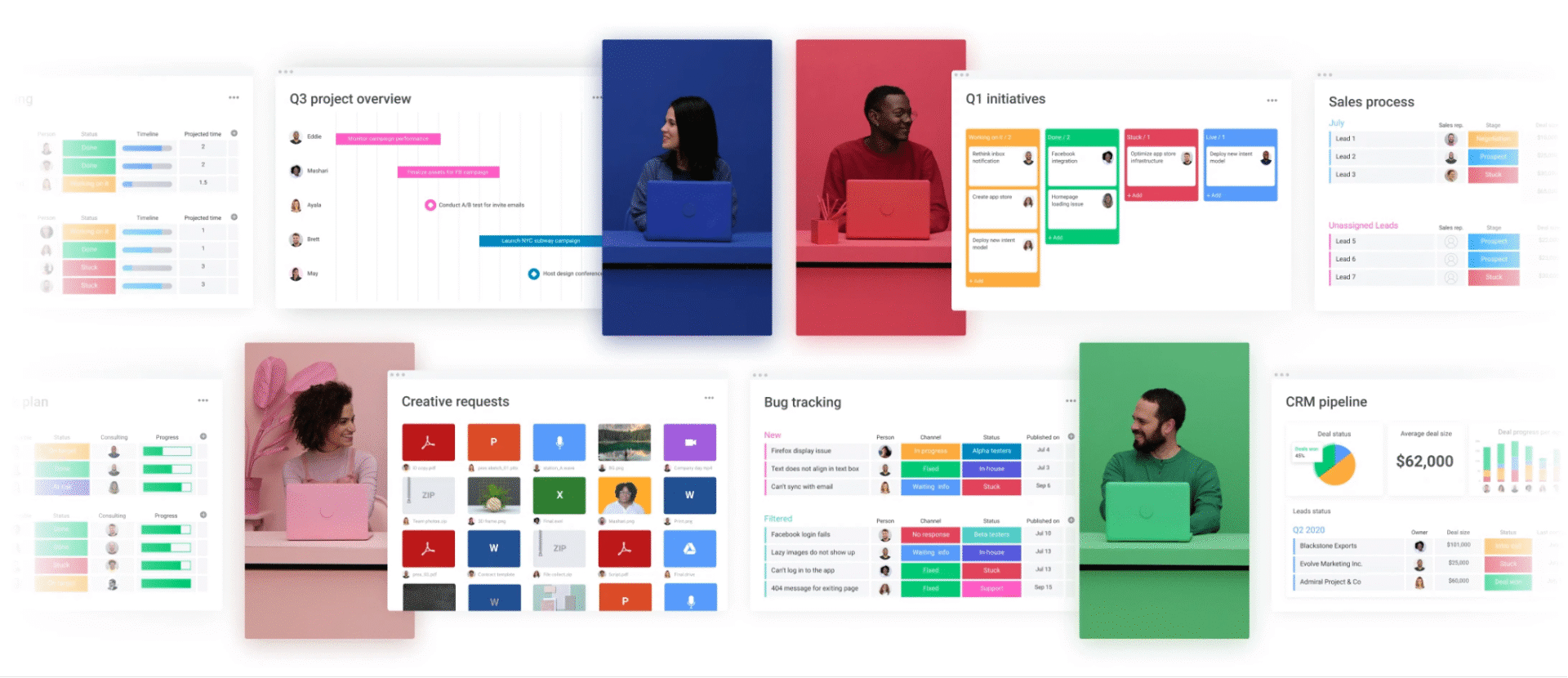
monday.com isn’t just a project management tool—it’s a collaboration powerhouse that helps businesses eliminate silos, improve communication, and drive efficiency. By bringing teams together on a single platform, companies can ensure that every department works towards the same goal: business success.
Ready to unify your teams? Let’s talk about how monday.com can transform the way you work.
The page you requested could not be found. Try refining your search, or use the navigation above to locate the post.
Join the ranks of successful enterprises that have revolutionized their operations with our cutting-edge digital solutions. Contact us to discover how we can help you achieve measurable impact.


monday.com can revolutionize your workflows—if used strategically. Discover how to align monday.com with your business goals, automate smarter, and continuously optimize for maximum ROI.

monday.com has transformed how businesses manage projects, workflows, and team collaboration. It’s a powerful Work OS that promises automation, real-time insights, and streamlined operations. But here’s the reality: not all businesses are getting the full value from their investment.
Too often, companies use monday.com as just another task management tool, missing out on its ability to automate processes, centralize information, and provide actionable insights. The difference between businesses that thrive with monday.com and those that don’t isn’t the tool—it’s how they use it.
TABLE OF CONTENTS
Even with the best technology, inefficiencies persist when businesses don’t align their tools with their strategy. Here are some of the most common reasons why companies struggle to maximize monday.com:
1. Treating monday.com Like a To-Do List Instead of a Work OS
Many teams set up monday.com boards that mirror their old ways of working—simple task lists, basic due dates, and manual updates. This limits productivity gains and doesn’t leverage the full automation capabilities that monday.com offers.
The Shift: Instead of using monday.com for task tracking alone, companies should build end-to-end workflows that streamline approvals, automate repetitive tasks, and trigger next steps automatically.
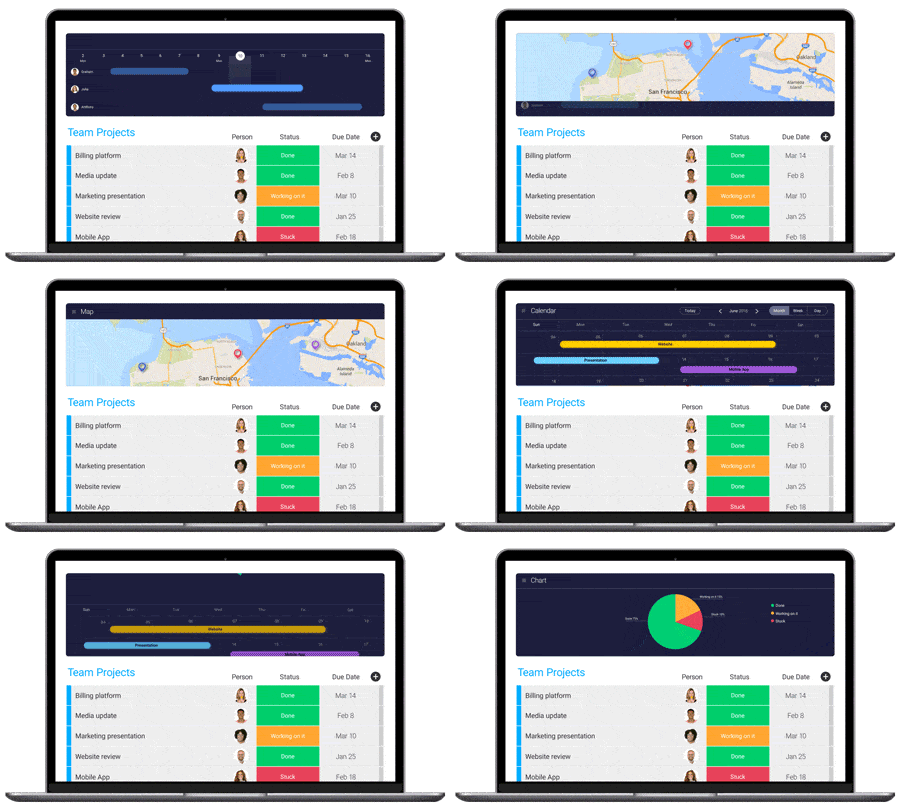
2. Siloed Workflows That Block Collaboration
Work doesn’t happen in isolation, yet many businesses build separate, disconnected workflows in monday.com. Sales teams track leads, marketing plans campaigns, and operations manage resources—all in different boards, with little connection between them.
The Shift: A well-structured monday.com setup ensures that departments work from a single source of truth. A marketing project shouldn’t exist in a vacuum—it should seamlessly connect with sales and operations workflows.
3. Underutilizing Automations and Integrations
Teams still manually assign tasks, update statuses, and send follow-ups when monday.com can do all of this automatically. In many cases, businesses are still relying on emails and spreadsheets, creating double work.
The Shift: Automations should be at the heart of every monday.com setup. Instead of spending time on manual task assignments and status updates, businesses should use custom automations to trigger next steps, notify stakeholders, and move workflows forward automatically.
Beyond automations, integrations connect monday.com with the tools businesses already use—CRM, finance software, or Slack—ensuring information flows without human intervention.
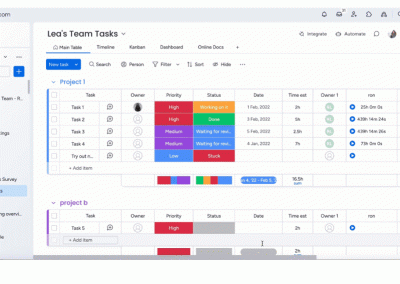
4. Lack of Data-Driven Decision Making
Executives and managers need real-time visibility to make informed decisions. But without properly configured dashboards, they’re left relying on manual reporting, incomplete data, and gut feelings.
The Shift: monday.com isn’t just a tool for execution—it’s a powerful business intelligence platform. By customizing dashboards and reports, leaders can monitor performance, identify bottlenecks, and drive efficiency across teams.
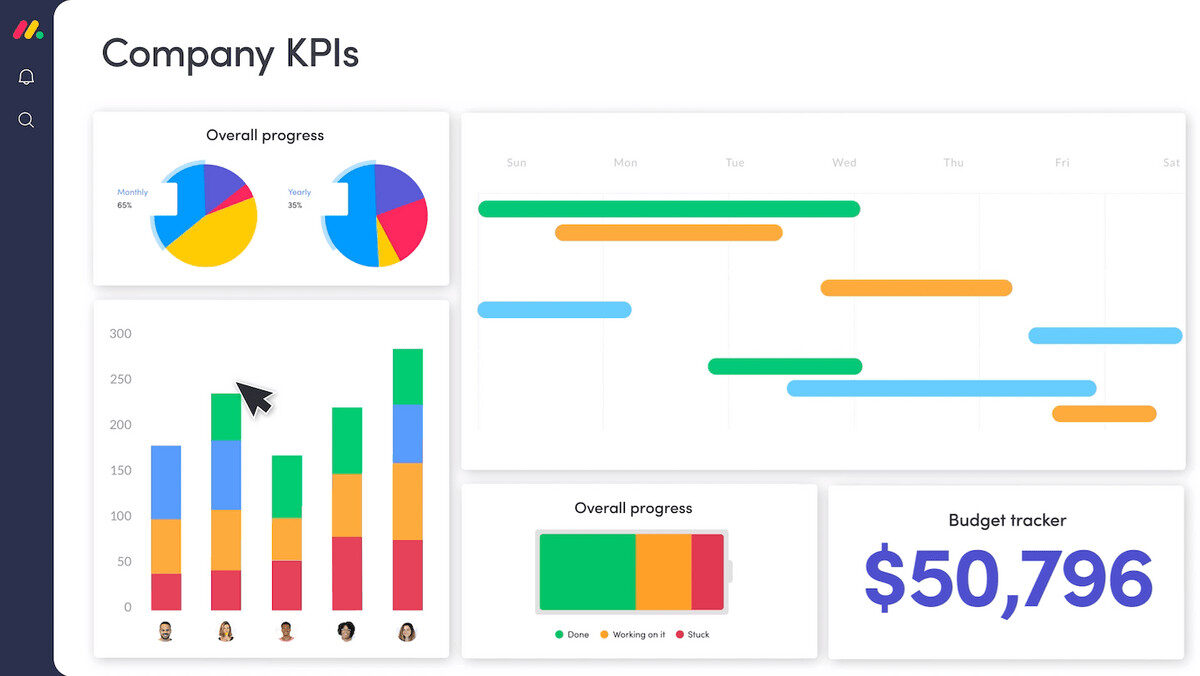
5. Setting It Up Once—And Never Optimizing
Businesses evolve, but their monday.com setup often stays the same. Workflows that worked six months ago may no longer be relevant today, yet teams continue using outdated boards and processes.
The Shift: monday.com should be a living system that grows with the business. Companies that continuously refine their workflows, improve automations, and adapt their setup see the biggest ROI. Regular audits ensure that teams stay efficient and monday.com remains aligned with business needs.
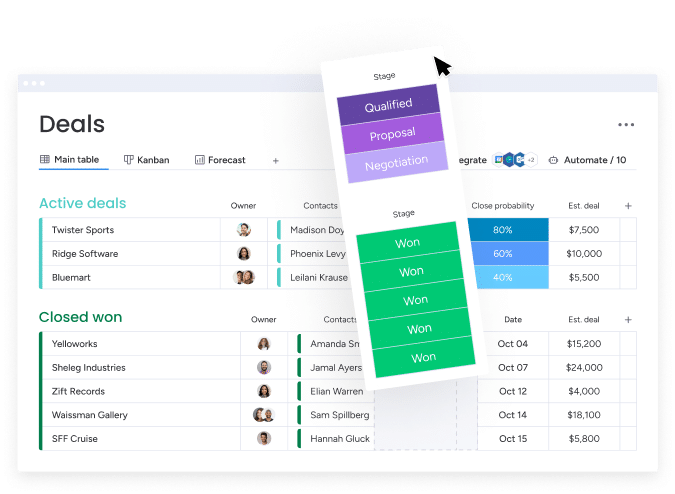
monday.com has the potential to be a transformational platform, but businesses need to move beyond basic setups and start tapping into its full range of features.
Those who truly maximize monday.com do three things exceptionally well:
✔ They align their setup with business goals—not just tasks.
✔ They automate and integrate everything possible to eliminate inefficiencies.
✔ They continuously optimize their workflows to adapt as their business evolves.
For organizations looking to get more from monday.com, the key is thinking beyond project management and using it as an end-to-end business solution.
The page you requested could not be found. Try refining your search, or use the navigation above to locate the post.
Join the ranks of successful enterprises that have revolutionized their operations with our cutting-edge digital solutions. Contact us to discover how we can help you achieve measurable impact.

Dynamics 365 can revolutionize your business — but only with the right strategy. Learn how to plan effectively, avoid common mistakes, and build a scalable implementation that drives engagement and long-term growth.
Drive a Successful Dynamics 365 Implementation
Implementing Dynamics 365 Customer Engagement can be a game-changer for organizations looking to enhance their digital presence and improve customer interactions. However, the path to successful implementation can be filled with potential pitfalls. Here are some common mistakes to avoid and best practices to follow to ensure a smooth and effective deployment.
One of the most frequent mistakes organizations make is underestimating the customization needs of Dynamics 365. It’s crucial to tailor the system to fit specific business requirements to maximize its benefits. Ignoring data migration challenges can also lead to significant issues down the line. Proper planning and execution of data migration are essential to avoid disruptions. Overlooking user training is another common pitfall. Ensuring that users are well-trained and comfortable with the new system is vital for successful adoption. Additionally, inadequate change management can derail the entire project. It’s important to manage the transition effectively to minimize resistance and ensure a smooth rollout.
User stories play a crucial role in ensuring that the implementation meets the needs of the end-users. They provide a clear and concise way to capture user requirements and expectations. Involving customers in the development of user stories ensures that the final product aligns with their needs and delivers value. Customer commitment to the project is equally important. Engaging customers early and maintaining their involvement throughout the project helps to align expectations, secure buy-in, and ensure a successful implementation. Regular communication and feedback loops with customers can help to address any concerns and make necessary adjustments to meet their needs.

To set the stage for a successful implementation, it’s important to define clear objectives and key performance indicators (KPIs) from the outset. Engaging stakeholders early in the process helps to align expectations and secure buy-in. Developing a detailed implementation plan and providing comprehensive training and support are also critical components of a successful deployment.
Choosing the right implementation method is crucial for the success of any project. The Hybrid method combines elements of both Waterfall and Agile methodologies, providing flexibility to adapt to changes while maintaining a structured approach. It’s suitable for projects with well-defined requirements but also need iterative development. The Waterfall method follows a linear and sequential approach, where each phase must be completed before moving on to the next. It’s best for projects with clear, unchanging requirements and a fixed timeline. The Agile method focuses on iterative development and continuous feedback, allowing for flexibility and quick adjustments based on user feedback. It’s ideal for projects with evolving requirements and a need for rapid delivery.

Leveraging tools like Azure DevOps can significantly enhance the effectiveness of your implementation plan. Azure DevOps provides a unified platform for teams to collaborate effectively, ensuring everyone is on the same page. It supports continuous integration and continuous deployment (CI/CD), allowing for faster and more reliable software delivery. With robust project management tools, including agile planning, tracking, and reporting capabilities, Azure DevOps helps manage backlogs, sprints, and releases, ensuring that the project stays on track and meets deadlines. Additionally, it integrates with various testing and security tools, enabling teams to identify and address issues early in the development process. Azure DevOps is highly scalable, making it suitable for projects of any size and complexity, with flexible deployment options.
It’s essential to consider the integration capabilities of Dynamics 365 with existing systems and data. This ensures a seamless flow of information and enhances the overall efficiency of the organization. Additionally, choosing a solution that can scale with the growth of the organization ensures that the system remains effective and relevant as the business expands.

While customization is essential, over-customization can lead to complications. It’s important to strike a balance to avoid unnecessary complexity. Proper customization ensures that the system meets specific business needs without becoming overly complicated and difficult to manage.
Thorough testing and validation before full deployment are crucial. This helps to identify and address any issues early on, ensuring a smooth rollout. Comprehensive testing ensures that the system functions as expected and meets the requirements of the organization.
Working with experienced partners or consultants during the implementation process can provide significant benefits. Their expertise can help navigate challenges and ensure a successful deployment. Experienced partners bring valuable insights and best practices that can enhance the overall implementation process.

Preparing your organization for the upcoming changes involves clear communication of the benefits of the new system. Involving employees in the process and offering training and resources can help to ease the transition. Monitoring progress and making necessary adjustments ensures that the implementation stays on track.
Promoting user adoption is key to maximizing the benefits of Dynamics 365. Continuous education and highlighting the user benefits can encourage users to embrace the new system. Providing on-demand support and gathering feedback to make improvements can further enhance user satisfaction and adoption.
By avoiding common mistakes, following best practices, choosing the right implementation method, leveraging tools like Azure DevOps, and emphasizing the importance of user stories, customer commitment, integration capabilities, scalability, proper customization, thorough testing, and working with experienced partners, organizations can ensure a successful Dynamics 365 Customer Engagement implementation that delivers significant value and drives business success.

The CRM Team is a leading provider of customer relationship management (CRM) solutions, specialising in Microsoft Dynamics 365, monday.com, and custom integrations. We empower busines